NSW Government
Digitalising birth certificates for New South Wale citizens
Duration
May 2023 – November 2023
Project
Partnering with the NSW state government on developing a mobile application to allow users to securely store and use their birth certificates
Focus
Service design, UX/UI design, research, user testing, design thinking
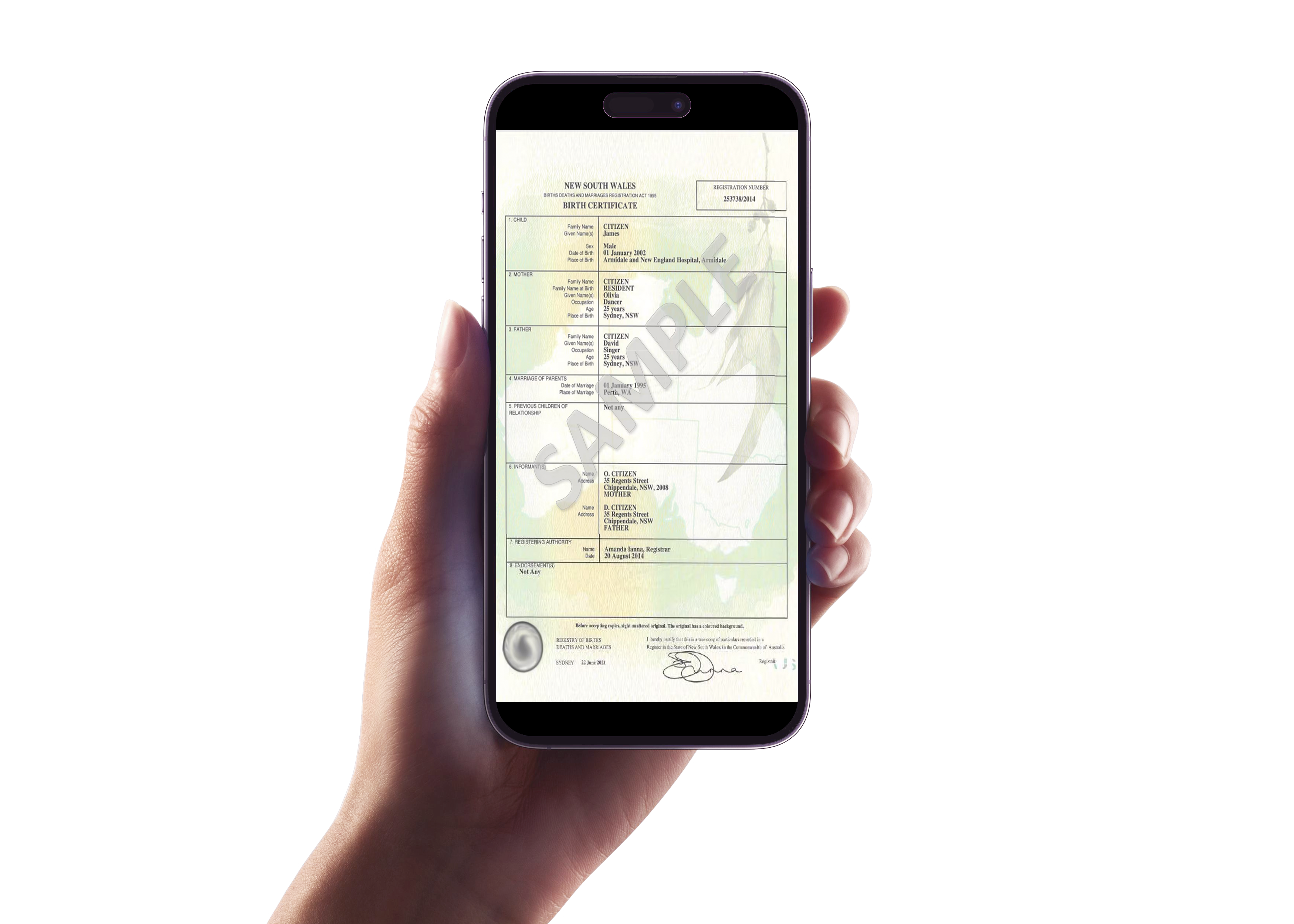
*Due to high confidential nature of the work, application designs cannot be disclosed – this brief will only cover the high level responsibilities, what values were provided and learnings garnered from the project. For more information, please privately contact me.
New South Wales (NSW) Government partnered with Thoughtworks on developing the world’s first digital birth certificate mobile applications. The purpose of the project was to have a secure, safe and effective application for New South Wales’ citizens to identify, verify and authenticate themselves and their family.
MY ROLE
Senior Service Designer
TEAM
30+ people in the Thoughtworks and NSW government team
The ask from the NSW Government team
How might we increase the efficiency of service design to ensure the development team can reach the next development release and increase the credibility of service design when it comes to product discovery?
Ensuring a dual track approach
What did I do to find the balance between product discovery and delivery?
1.
Research with an objective
We reviewed past user test outcomes to comprehend the UX improvements for the upcoming development phase. Additionally, we administered a survey on new product features to gain insights into our users’ mental models and narrow down potential ideas. Furthermore, we analysed various government apps to ensure a consistent user experience for our users so we don’t side track.
2.
Ideate with a boundary
I collaborated with the core product team on developing design ideas through white boarding for specific features that were identified in the product roadmap and prior user test.
It was essential to get feedback from the core product team to understand the desirability, feasibility, viability and usability of potential design ideas.
3.
Design in iteration
- Iterated on the designs of the existing product features that has been identified as highly critical for UX enhancements
- Created prototypes for new features for internal review and user testing
- Considered iOS and Android design systems and accessibility requirements in all designs
4.
Be prepared when testing
Designed and executed user testing involving 10 participants to assess their sentiments towards new and existing product features. The goal was to explore users’ perceptions of how specific UX enhancements seamlessly integrated into the overall user experience of the mobile application.
5.
Support delivery at the right time
Worked in a dual track approach – Always collaborated with the development team on designs during product delivery planning, story writing, story kick-off, desk check and anytime that required design inputs.
6.
Continuously improve product and design processes
As this was a new government team, I took the opportunity to improve the product planning and development process through forming better communication process with the development team, demonstrating design leadership to the service design team and promoting the importance of testing with customers.
Let’s zoom into an example of my design contribution…
Embedding Multi-Factor Authentication (MFA) into the core user flows
Why MFA?
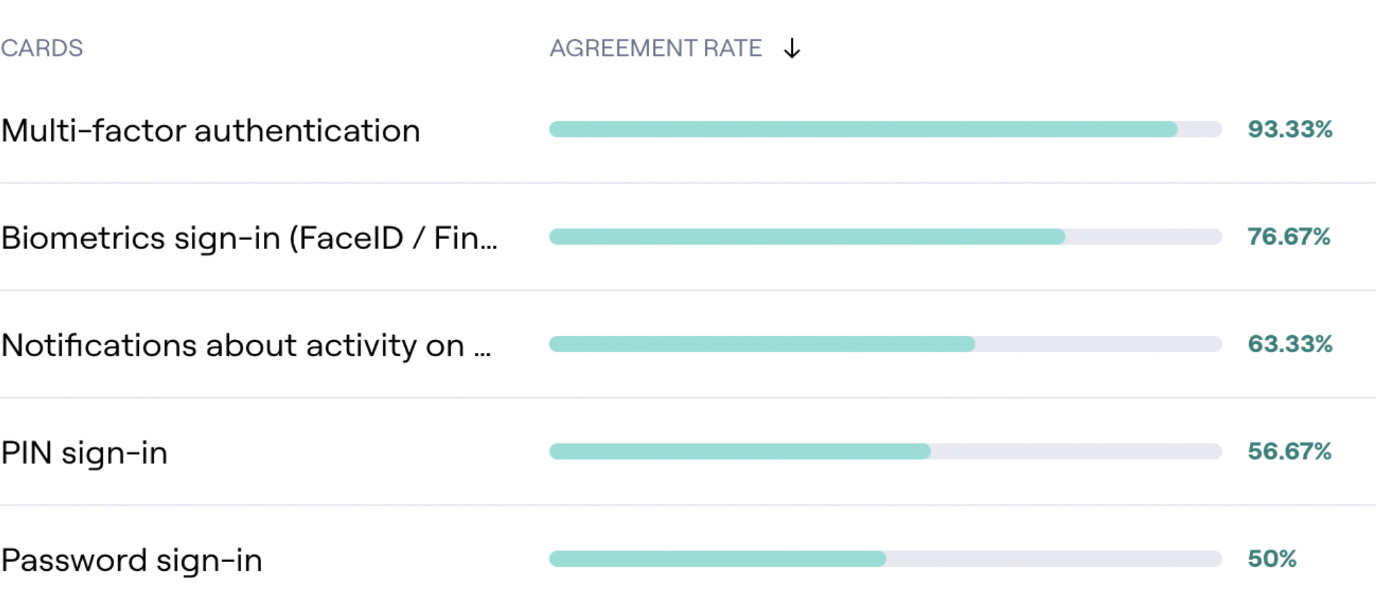
The product roadmap had already pinpointed MFA as a top-priority element for development, aligning with the commitment to maintain the government’s security standards. Subsequent validation reinforced its significance in enhancing the app’s security experience, as a considerable 93% of users in both MVP testing and surveys indicated that MFA was the most crucial security feature for a government app.
Brainstorming how MFA would potentially be integrated with the overall application experience
I facilitated a brainstorm session with the lead service designer, product manager, technical lead and business analyst on understanding the breath and depth of MFA and determine the delivery priority to help us move forward on what to do in the next stages of developing.

Understanding the security experience of other Australian government and banking apps
It was essential to learn about the expectations and mental models of users pertaining to various interaction stages with MFA in leading government and banking applications in Australia.
Research objective
What are users familiar with when using MFA?
How do we leverage on existing mental models?
Can we find the balance of sameness and change when designing the experience?
6 Australian government and banking apps in the comparison analysis
Westpac
Comm
bank
Service NSW
MyGov
Medicare
Service Victoria
Key finding #1
Even though it was mandatory for the banking apps to use mobile for their MFA feature, however it was optional for users to receive the security code via Mobile SMS.
Key finding #2
All apps required MFA when users have forgotten their password during sign in, but optional when changing password in app.
Key finding #3
All apps prompted users to enter mobile number after users have created their password for the apps
Key finding #4
When the users were already signed into the app, all of the apps required Pin or biometric to unlock the app and no MFA is required.
Key finding #5
The occurrence of MFA being triggered during in-app was dependent on different variables such as the level of risk of an activity, the user’s location, etc.
Key finding #6
All apps had similar experience and design when requesting the user to authenticate themselves via MFA.
Defining the design approach and experience
1. Coming up with the design
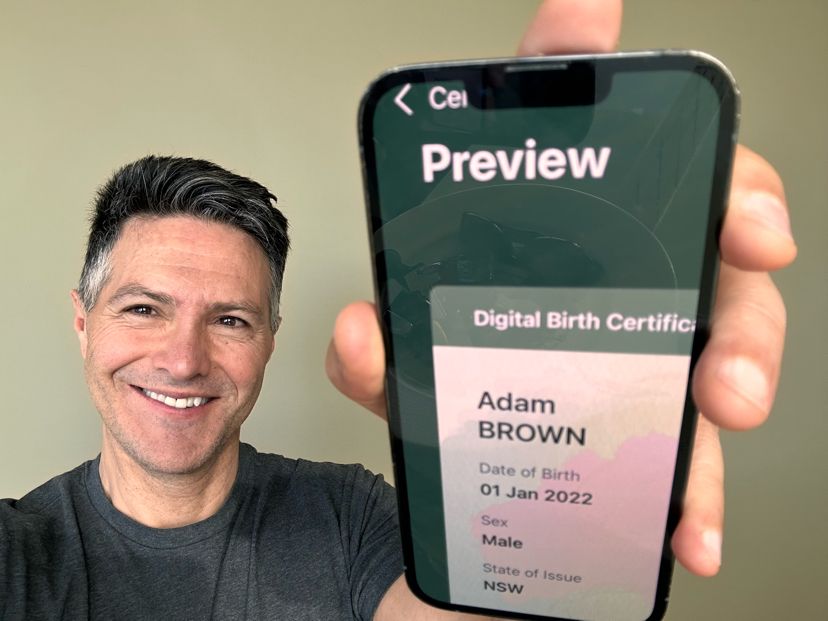
Given that MFA was a common feature in numerous mobile applications, and users were accustomed to authenticate through mobile, the design approach was established to provide a consistent user experience with familiar conventions in platform style. This ensured that users could concentrate on the essential activities within the Digital Birth Certificate without unnecessary distractions and new experiences with MFA.
A key priority that I had to ensure in my design was aligning with the international accessibility standards (WGAG 3.0), such as allowing zoom functions and voice over to occur seamlessly when users are utilising the digital birth certificate app.
2. Evaluating the overall user experience
After finalising the designs, it became crucial to assess the user experience comprehensively, considering users’ expectations regarding when and how MFA can effectively assist them while using the app. I worked collaboratively with the front-end and back-end technical leads, the product manager, the lead service designer, and the business analyst to determine the three aspects outlined below.
How to ensure that users can efficiently set up MFA?
Key outcome: The product manager determined that Mobile SMS will be the only option to receive the verification code as the app is only available for mobiles only for the first release.
How to ensure that users are being verified when necessary?
Key outcome: During a spike, the developers identified that the authentication solution platform can customised the trigger points of when users are needed to authenticate themselves.
How to ensure that users can recover from potential errors?
Key Outcome: Developers informed us that mobile number can be changed in the set up process with technical complication
A set of product and technical questions I thought of when evaluating the design for setting up MFA with the team

Conducing usability testings on 20 participants
PASS
During the moderated usability test where participants were asked to complete multiple tasks, we were able to test out the sign up flow that incorporated setting up MFA. One of our test objectives was that all users should be able to sign up with little to no questions on the flow and could finish within a couple of minutes or so.
It was discovered that all users had no comments on setting up their mobile number and having the requirement to verify themselves.
Supporting delivery
Contributing to product delivery planning
As setting up MFA and changing password were prioritised, I actively supported the business analyst in slicing the designs into feasible stories for developers to build and preparing design requirements for each story.
Contributing to Product delivery
I supported the story kick offs where I was always prepared to iterate my designs based on developers feedback and attended all desk checks to ensure that story delivered the user and accessibility requirements.
Uplifting design processes and practices
1.
Improving collaboration between product and developers
Upon joining, the project was rapidly moving towards the delivery phase, demanding more frequent input from the service design team for the developers to proceed. To streamline communication and ensure the team had sufficient design requirements, I continuously:
- Encouraged direct communication through creating a group forum in Teams
- Involved developers in the design process frequently, providing early insights to prevent last-minute changes
- Kept the team updated on ongoing discovery work (i.e. sharing user test results)
2.
Demonstrating design leadership
- Building empathy: I motivated the entire team to gain insights from customers, fostering a deeper understanding of the reasons behind the specific design choices.
- Improving communication: I was constantly setting up design feedback sessions and facilitating showcase to allow the team to have transparency of my work and be able to receive constructive feedback.
- Encouraging creativity: I conducted numerous brainstorming sessions using design thinking techniques, encouraging the team to think creatively and expansively.
- Having a vision: I was open to challenge my colleagues on their thoughts towards user experience and design, effectively breaking down intricate concepts
- Mentoring others: I was always having 1:1 sessions with the junior designer to guide her on design methodologies and to assist her on breaking down her thinking pattern.
3.
Encouraging frequent user testing
Like numerous large organisations, dealing with numerous stakeholders required effective communication and approval processes. To minimise unproductive discussions based on assumptions about customer preferences, I advocated for frequent lean user testing. This approach led to more meaningful conversations about design, incorporating user feedback early on and continually enhancing the overall user experience.
Learning Outcomes
- Balancing designs for both iOS and Android – Gaining more mobile design knowledge for Android
- Gaining a more comprehensive knowledge in Accessibility when it comes to designing
- Understanding the importance of giving space and time to learn during my mentoring experience
- Using different communication tactics to keep the delivery team engaged with the design process and feeling safe when providing design feedback.